go go golang!!
learning golang (not)
June 8, 2026
There is this project i found on r/cli or r/tui i don’t really remember which one (not that it matters). It’s called ‘vibez’. It’s a CLI-based Apple Music player where you describe a vibe and it uses genres, artists, etc. to find songs you’d like. So if you say “i am feeling a want to work” or something (me fr), it will suggest songs for that.
This caught my eye, i used it, liked it, and then went deep into the rabbit hole and found out it was made in Go. I wanted to contribute for a while but kept skipping it. My excuse was “man i don’t know Go and i don’t have time” (one of those is false, you can guess which one).
the starting
Just a few days ago i was like “ykw, let me raise an issue i feel is missing - local song playing”. If i have 200 songs downloaded, how do i play them? (i don’t have 200 songs downloaded, it was an example, please). So i did it. Put up a “very professional issue”.
Here is an image of my professional issue -
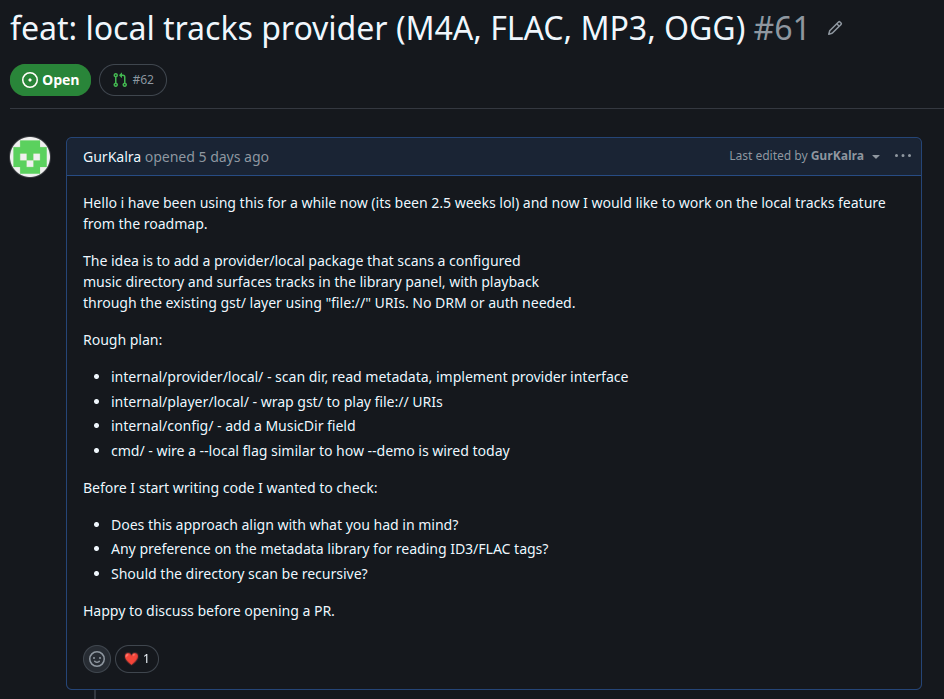
and BOOM I GOT A REPLY AND A RED HEART (can be seen in the screenshot 😎).
i started the work
Now that it was sanctioned by the owner, i started cooking. But first i had to read and understand a bunch of files in a language i was a liiiiittttle clueless about. To my surprise though, i got most of it like the player files, the files that define how the provider works (from the Apple side), etc.
I was like “hmm this looks kinda easy.” (top 3 things to say before everything goes wrong.) And i was kind of right, because:
- i understood the code that was already there
- the code i had to write had a very similar structure to what was already there
So the task was to change things so that instead of reading from an Apple token and calling the API, it now reads from
file://links of local songs and plays them.
Also added a --local flag so the feature can be toggled — for now users can only access this by running the flag with the vibez command. Also added a --music-dir flag so users can point to their music directory, which then gets saved to the config file. (ik ik, clearly all me, definitely no AI involved at all.)
small hiccups
Of course there were hurdles.
One was definitely the new Go syntax. Pointers, interfaces, and a few other concepts took some time to get used to.
Another was getting the audio to actually work, the queue not autofilling, volume being buggy, the usual.
But the one that got me the most was actually pretty trivial on paper: the seeker and the timer weren’t working. Even when the song played perfectly, it wouldn’t show the time. And because the seeker depended on the timer, the seeker was frozen too.
how did i fix it
When a track was loaded, the now-playing panel showed 0:00 / 0:00 for both position and duration, and the seeker bar was hidden entirely.
There were two root causes: duration and position.
The provider.Track struct has a Duration field that the TUI uses to render the progress bar and total time. For the demo and Apple Music providers this gets populated from the API response before playback starts.
For local files, dhowden/tag reads metadata tags but doesn’t report audio duration, it only reads ID3/FLAC tag data like title, artist, and album. So Track.Duration was always zero when the track was handed to the TUI.
The fix was to query GStreamer for the duration after PlayURI() is called, since GStreamer actually opens the file and can report its real length. A 200ms sleep was added after PlayURI() to give the pipeline time to transition to PAUSED state before querying:
func (p *Player) playTrack(t provider.Track) {
    uri := fmt.Sprintf("file://%s", t.ID[len("local:"):])
    p.gst.PlayURI(uri)
    time.Sleep(200 * time.Millisecond)
    if d := p.gst.Duration(); d > 0 {
        t.Duration = d
    }
    // ... update state and broadcast
}
The webkit and demo players both broadcast state updates continuously, webkit via JS callbacks from MusicKit, demo via a time.Ticker goroutine. The local player had no such mechanism. State was only broadcast on events like play/pause/next, so the TUI never got position updates while a track was playing. The seeker stayed frozen at 0.
The fix was a pollState() goroutine that ticks every 500ms while playing, reads the current position from GStreamer, and broadcasts it to all subscribers:
func (p *Player) pollState() {
    ticker := time.NewTicker(500 * time.Millisecond)
    defer ticker.Stop()
    for range ticker.C {
        p.mu.RLock()
        playing := p.state.Playing
        p.mu.RUnlock()
        if !playing {
            continue
        }
        p.mu.Lock()
        p.state.Position = p.gst.Position()
        s := p.state
        p.mu.Unlock()
        p.broadcast(s)
    }
}
The if !playing { continue } guard is important because without it the goroutine would spam state updates even when paused, causing unnecessary redraws. (something i would have absolutely done without thinking about it.)
TLDR; Duration not being counted → seeker not rendering → state not updating → track not being seeked. A whole chain of problems from one missing number. Love that for me.
the result
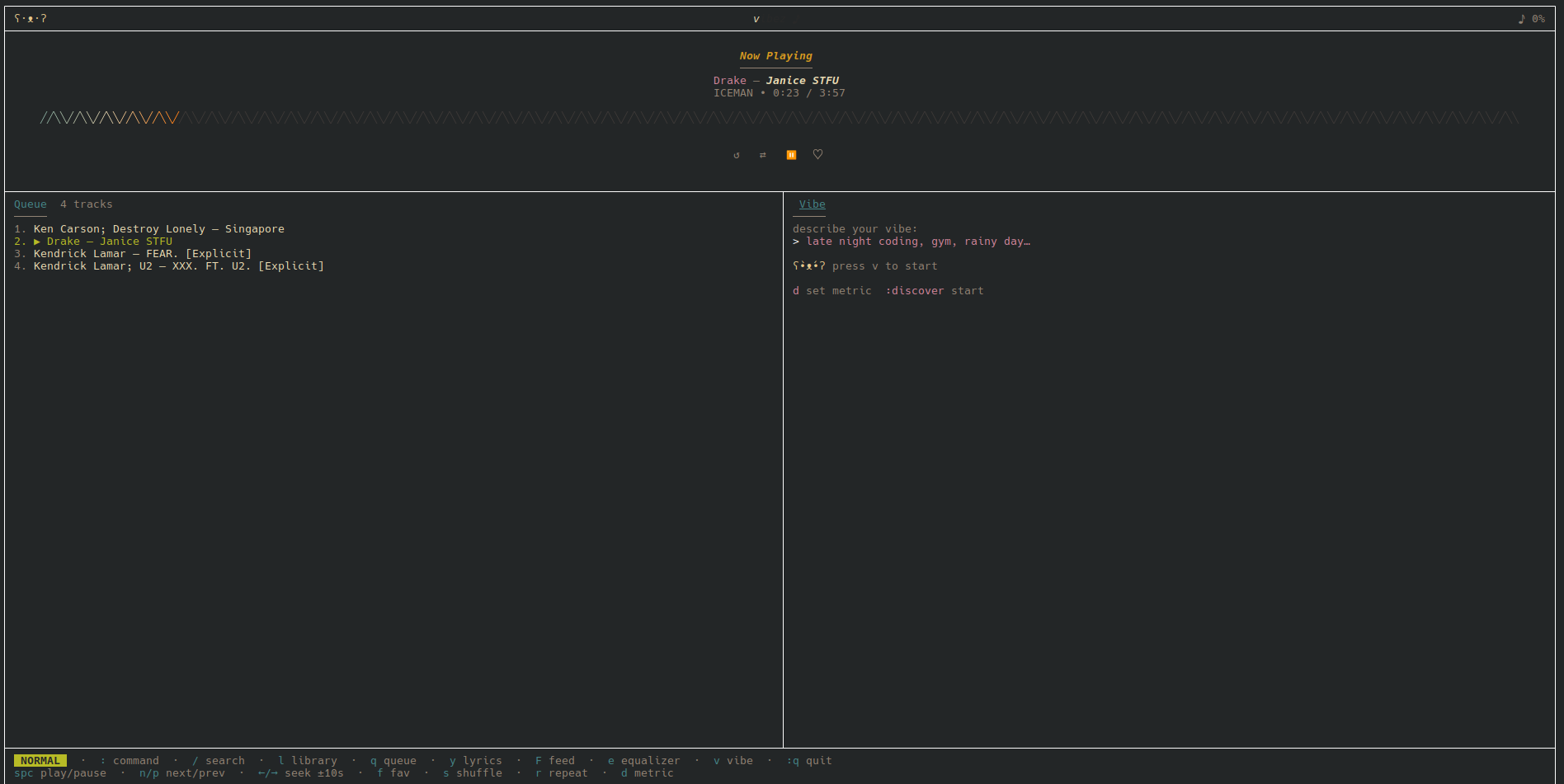
(no comments on the volume, it’s showing 0 for some reason, it was on 0.78 in reality.)
Honestly, this is a cool project and i am glad i contributed to it. There are a bunch of features i haven’t even fully explored yet (i read the docs, but what, you want me to use it to 100% just to say i like it??).
The local player is far from done but it’s a something. A stepping stone. Putting the link here again - vibez. Go check it out.
byebye.
dev logs
dev logs
dev logs
dev logs
dev logs
dev logs
dev logs
dev logs
dev logs
dev logs
dev logs
dev logs
dev logs
dev logs
dev logs
dev logs
dev logs
dev logs
dev logs
dev logs
dev logs
dev logs
dev logs
dev logs
dev logs
dev logs
dev logs
dev logs
dev logs
index
- 01 finally made my portfolio website - i finally made my website, and i would like to say i cooked
- 02 a button and a textbox made me lose my mind - making ui in unity 😇
- 03 go go golang!! - learning golang (not)
- 04 building something too ambitious? - going through the amazon HackOn '26
- 05 first ever 3D game - i completed a game jam!!